
Frequently Asked Questions
8Bitdo SN30 Pro/SF30 Pro (including plus model).
These gamepads can switch into a number of different modes.
If you are unable to select the menu items please check that the gamepad is in "Windows" mode.
With the gamepad being off, you can use these button presses to switch mode.
Windows - press X and Start to turn on the controller and then pair using the pair button.
macOS - press A and Start to turn on the controller and then pair using the pair button.
8Bitdo (https://support.8bitdo.com/) do supply the user manuals as PDFs if you wish to see the other modes supported.
Running Super Space Towers On Low End Machines
Running Super Space Towers On Low End Machines
We have tested Super Space Towers on a number of low end PCs & laptops.
Try the following suggested settings:
Screen Resolution to 1280 x 720.
Render Quality to Low.
Both of these settings can be found under "Options" from the Main Menu.
Joypad Support for Super Space Towers
Joypad Support for Super Space Towers
Super Space Towers supports joypads via XInput and through the Steam Client.
We have tested with Xbox 360, Xbox One, PS4 and Switch Pro controllers.
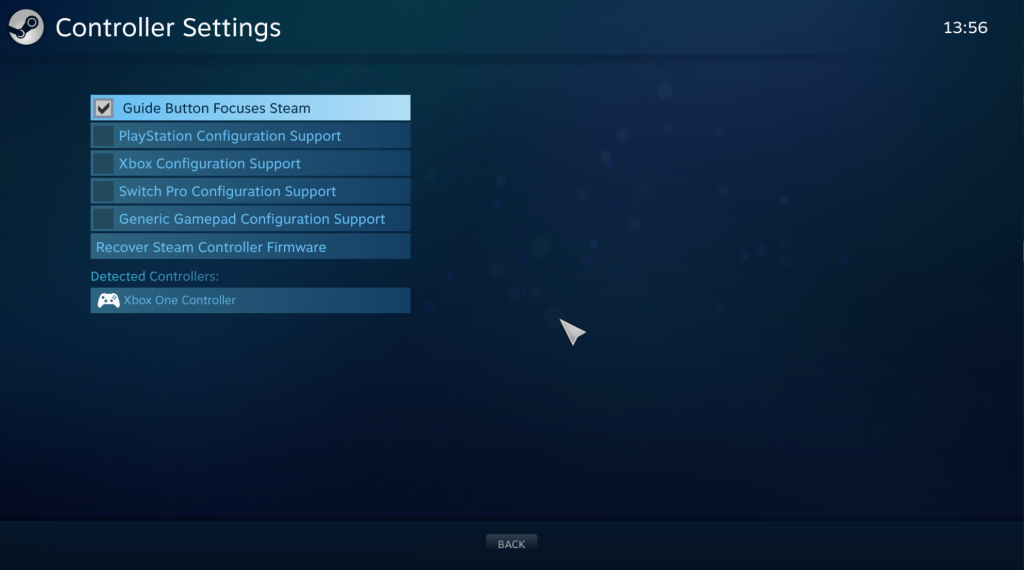
Steam Controller Settings
You can find the Steam controller settings:
Steam menu option (top left) > Settings > Controller and then click General Controller Settings.
Incorrect joypad buttons being displayed
If you have enabled controller support within the Steam Client this overrides our ability to correctly detect the type of controller so you will see Xbox controller buttons.
For the best experience we recommend disabling the controller support within the Steam Client as shown in the image.
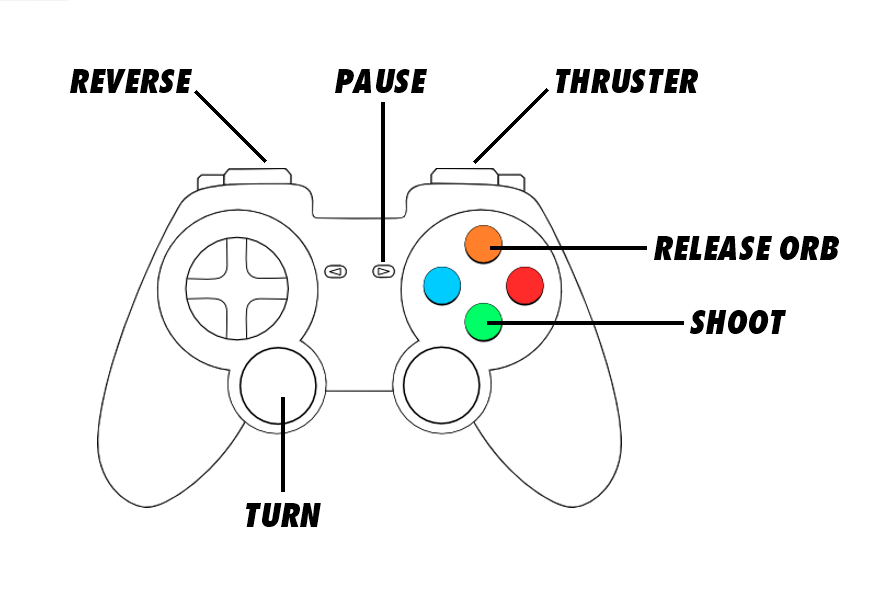
Keyboard & Menus Controls
Keyboard (menus)
Arrow keys = Navigate menu options
Escape = Back
Return = Select option
Keyboard (in-game)
A or Arrow left = Rotate ship left
D or Arrow right = Rotate ship right
Arrow up or Left Shift or W = Thrust
Arrow down or S = Reverse
Left Ctrl or Return = Shoot
Space = Release orb
P = Pause